Centralized Nothing ID for management and ecosystem access
Manage a single Nothing ID across devices, sync preferences, and unlock Essential Space tools through account authentication and device binding. NOTHING TECHNOLOGY LIMITED supplies this Android utility as the identity hub inside Nothing OS and via the Nothing X app on other phones, offering profile customization, community access, and warranty tracking. The app fits owners of Nothing phones and CMF audio or wearable products who need one account to control device access and certain AI-driven features.
What the app actually manages for your devices
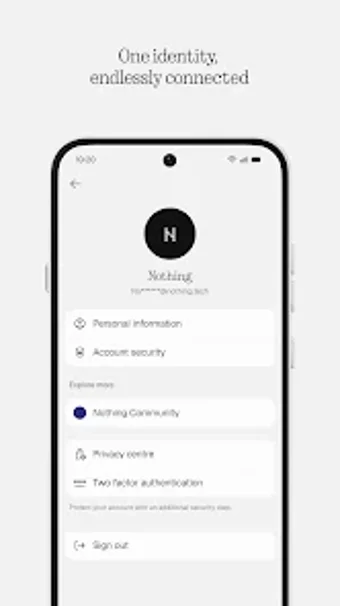
The app stores a unified Nothing ID used for profile settings, device binding, and organized warranty information, and it acts as the authentication gateway for Essential Space AI features. It operates as a central hub for device and community functions on Nothing OS and through the Nothing X app on other Android devices. Profile fields include nicknames and profile pictures, and the account links hardware ownership to software privileges.
How it behaves on a device and system impact
The app installs as a system component on Nothing OS and runs within Nothing X on other Android phones, which keeps sign-in and permission checks local to system settings on native devices. Because it integrates into Settings for Nothing OS, account actions occur inside the operating environment rather than a separate sandboxed client. That integration reduces duplicate sign-in steps across system features and keeps account management tied to the device registry.
Safety, authentication, and user knowledge required
Login supports email plus third-party authentication through Google and Apple, which provides familiar credential paths. The account is required for some AI-driven and community services but not for basic phone functions, so casual users can skip it while power users enable ecosystem features. The app serves both minimal and more advanced users because common sign-in options and centralized settings avoid advanced configuration steps for most tasks.
Practical hub for Nothing device owners with one notable trade-off
The app reliably centralizes identity and ties device ownership to ecosystem features, making it practical for owners who want single-point access to warranty, community, and AI services. The main trade-off is dependence on an account to access certain Nothing OS features that otherwise run without sign-in. For everyday use, set up the account during initial device setup to keep device bindings and feature access aligned.